How to Use My Profile Tab
Manage your personal account information, email, password, and referral program.
Required: All users (User, Admin, Super Admin). Plans: All plans. The My Profile tab is visible to everyone.
Accessing My Profile
- Click on your Display Name in the top right corner of the navigation bar
- Click the My Profile tab
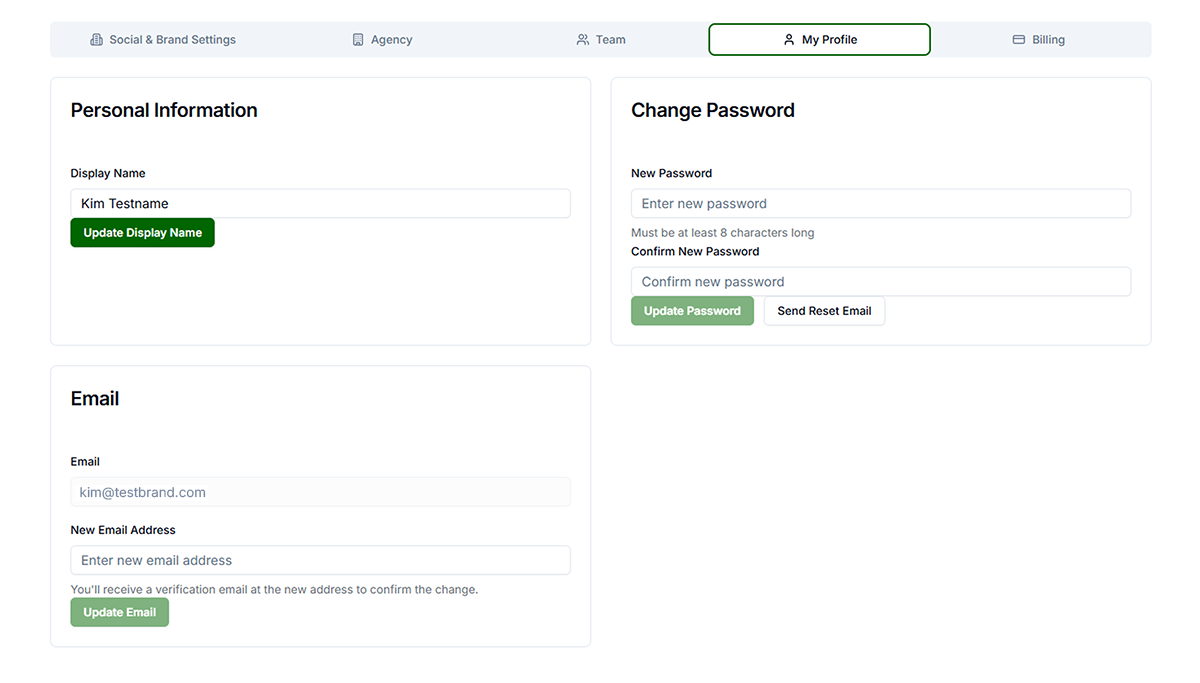
Personal Information
- Edit Name — Click in the Name field, edit, changes auto-save
- Change Email — Click Change Email, enter current password, enter new email, submit. You receive a verification email; click the link within 24 hours to complete. Until verified, log in with old email.
- Change Password — Click Change Password, enter current password, enter new password (min 8 characters), confirm, save. You remain logged in.
Referral Program (if enabled)
Get a unique referral link. When someone signs up using your link and subscribes, you earn credits and they get a discount. Copy your link from the Referral Program section. Credits apply to your subscription.
Troubleshooting
- Email change not working: Verify current password. Ensure new email is not already in use. Check spam for verification email.
- Password change not working: Verify current password. New password must be at least 8 characters. Ensure New and Confirm match.