How to Use Inbox
Manage comments, messages, and engagement across your social platforms.
The Inbox centralizes social media interactions — comments, mentions, and messages from all connected platforms. View and respond in one place. Required: Social accounts connected and published Shouts or Ads.
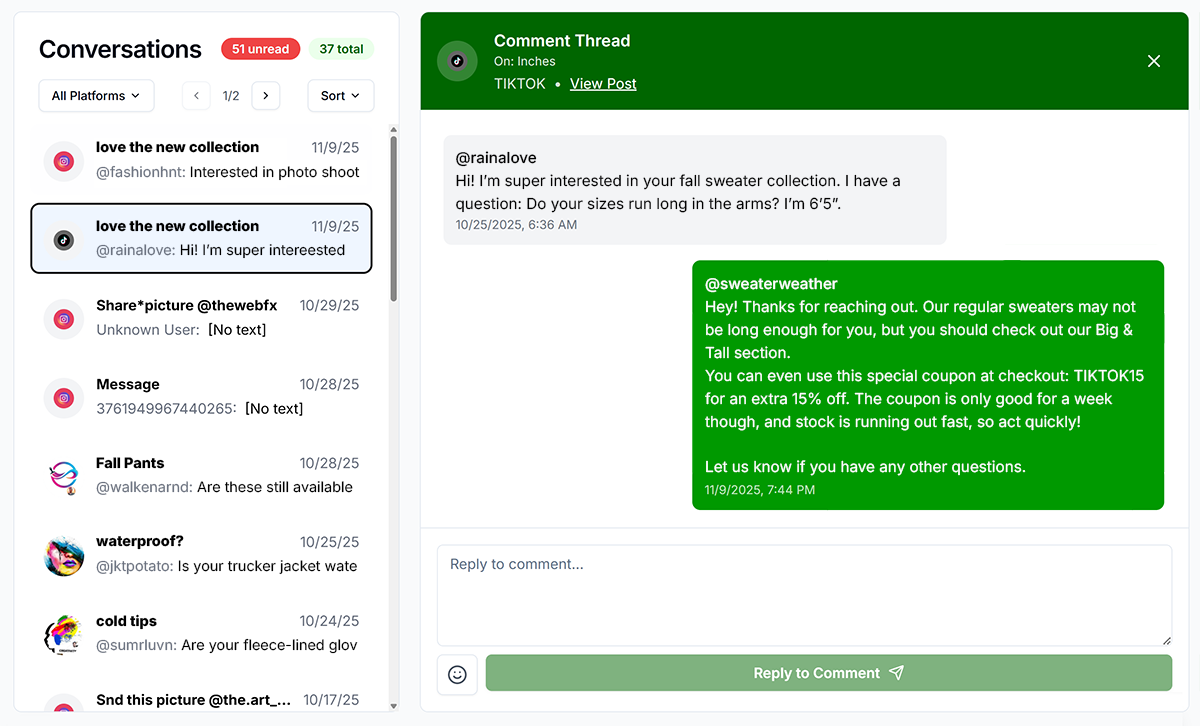
Filtering and Sorting
- Filter by Platform: Instagram, Facebook, etc.
- Filter by Type: All, Comments, Mentions, Messages
- Filter by Status: Unread, Read, Replied, Not Replied
- Sort: Newest First, Oldest First, Most Engaged
Responding
- Reply: Click Reply, type response, Send. Posted directly to the platform.
- Like/React: Click Like or React icon
- Mark as Read: Checkmark icon
- Delete/Hide: More menu (⋮) → Delete or Hide (platform-dependent)
Troubleshooting
- No interactions: Publish a shout first. Check platform connections. Clear filters.
- Cannot reply: Social connection expired. Reconnect in Account settings.
- Interactions delayed: Platform API delays. Refresh the page.