How to Connect Your Social Accounts
Connect your social media platforms to generate posts & ads, schedule and publish, get analyitcs, and respond to messages and comments.
Connect your social media platforms to schedule and publish shouts directly from Get Shouting. All connections use Ayrshare (OAuth). Required: Admin or Super Admin.
Supported Platforms
Instagram, TikTok, Facebook, Pinterest, YouTube, Threads, Twitter/X, Bluesky, LinkedIn, and Google Business.
How to Connect
- Click on your Display Name in the top right corner of the navigation bar.
- Scroll to Social Media Connections
- Click Connect next to the platform
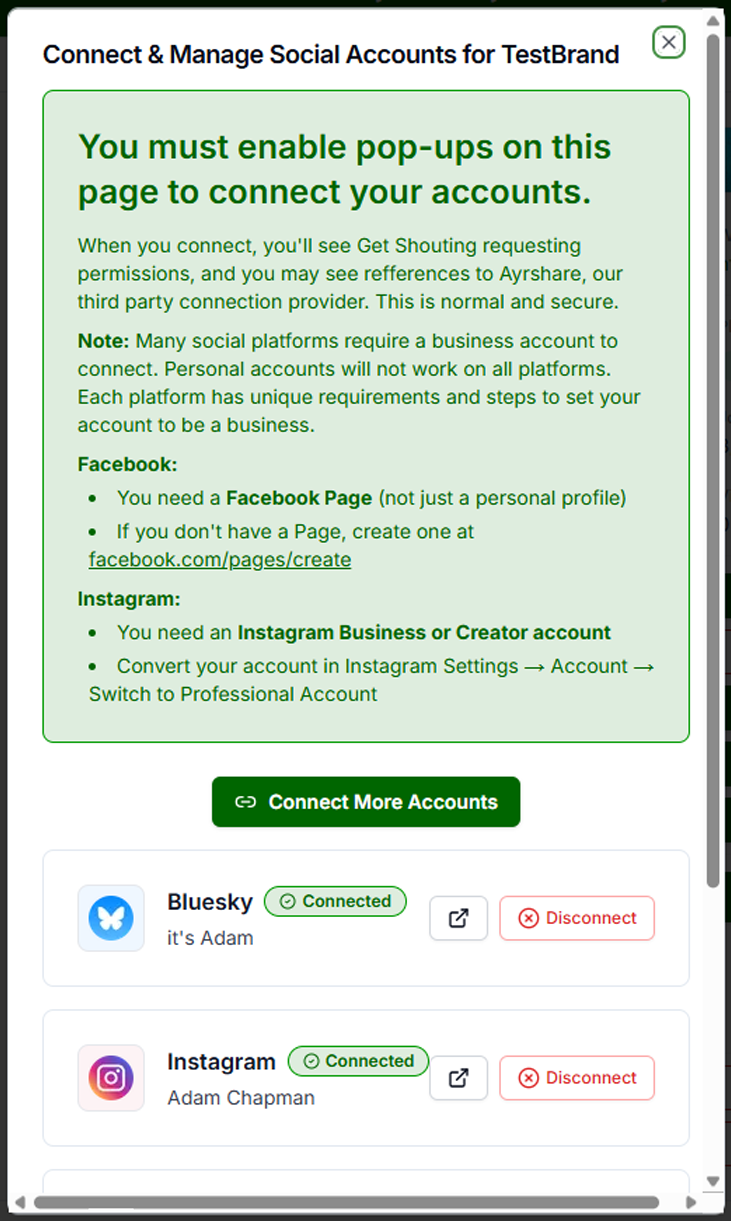
- You will see an informative overlay giving more information. You must have pop-ups enabled to connect accounts.
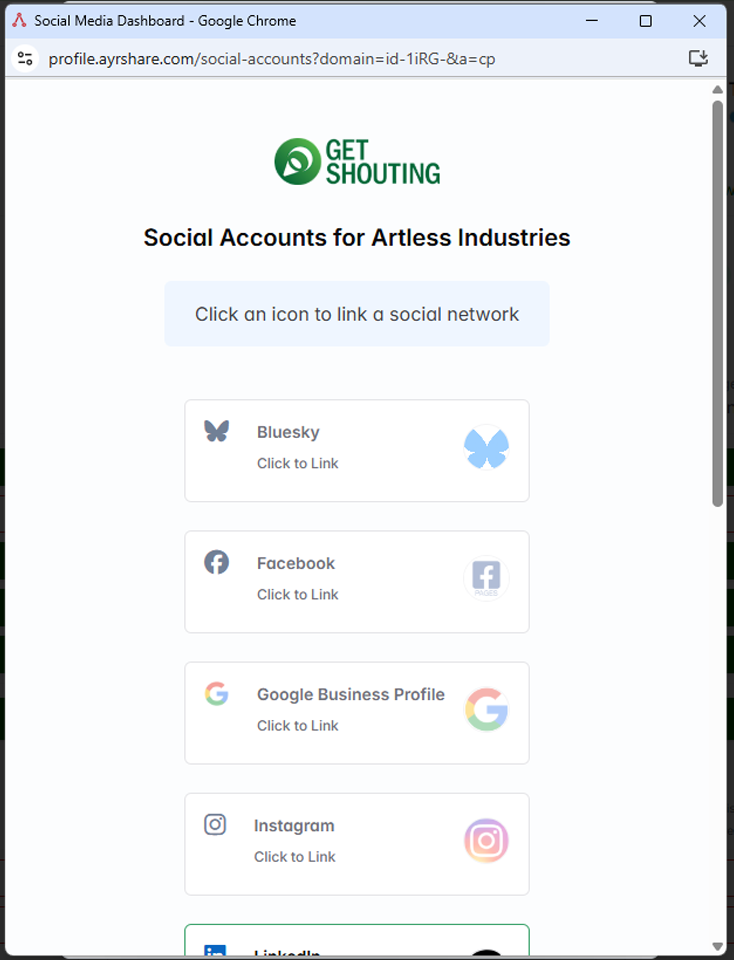
- Click Connect More Accounts to launch the pop-up and connect your accounts.
- You will then log into your various platforms to connect.
- Click Disconnect for any platform at any time.
- Close the windows to return to the page.
Platform-Specific Notes
- Instagram Business: May require a connected Facebook Page
- Facebook: Pages and Groups require Admin permissions
- LinkedIn: Company Pages require Admin permissions
Disconnecting
Account → Social & Brand Settings → find the platform → Click Disconnect. Disconnecting prevents future scheduled posts from publishing to that platform.
Troubleshooting
- Connection failed: Log into the platform first. Verify Admin permissions for Pages/Groups. Clear cache, try incognito. Ensure pop-ups not blocked.
- Connected but posts fail: Authorization may have expired. Disconnect and reconnect.
- "Admin Permission Required": Verify you are Page Admin (Facebook) or Company Page Admin (LinkedIn).